Overview
Filters can be used to filter audio data within PAMGuard using a number of different methods. They can be inserted anywhere in the PAMGuard data model where there are raw audio data. Some other modules, such as the click detector and the Decimator, use the same filter system built into that module’s functionality.
Creating a filter module
The filters module will take raw audio data, filter it, and output the filtered raw audio data at the same sample rate as the input data.
From the File>Add modules>Sound Processing menu, or from the pop-up menu on the data model display select “Filters (IIR and FIR)”. Enter a name for the new filter module (e.g. “Low Pass”, “2kHz”, etc) and press Ok.
Configuration
To set-up the filter, go to the Detection>“your filter name” settings …“ menu.
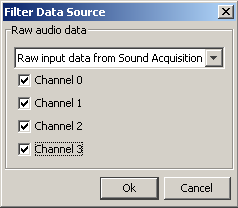
The filters module requires a source of raw audio data. This may come directly from a Sound Acquisition module (e.g. a sound card or a National Instruments board) or from processed data such as the output from a decimator or other filter.
Select the data source from the drop down list and the channels that you want filtered.